Molecular dynamics
Watch your simulation move.
Bring a trajectory and play it in your browser. Recolour it, measure it and follow its analysis while it plays, frame by frame.
Play your trajectories
- 1,750 frames
- frame 1
- RMSD 0.00 Å
Play
Every frame, in your browser.
Load a topology and its trajectory and press play. Large systems stay smooth, and the picture stays yours to change while the frames go by.
Play, pause and scrub
Step frame by frame or jump anywhere on the timeline, at a speed from 0.01× to 5×.
Restyle while it plays
Change the representation and the colour of each layer without stopping the trajectory.
Measurements that follow
Distances, angles and dihedrals stay with their atoms and update at every frame.
Sessions keep the frame
Save a session with its styles, measurements, camera and current frame, and carry on later.
Analyze
The numbers behind the motion.
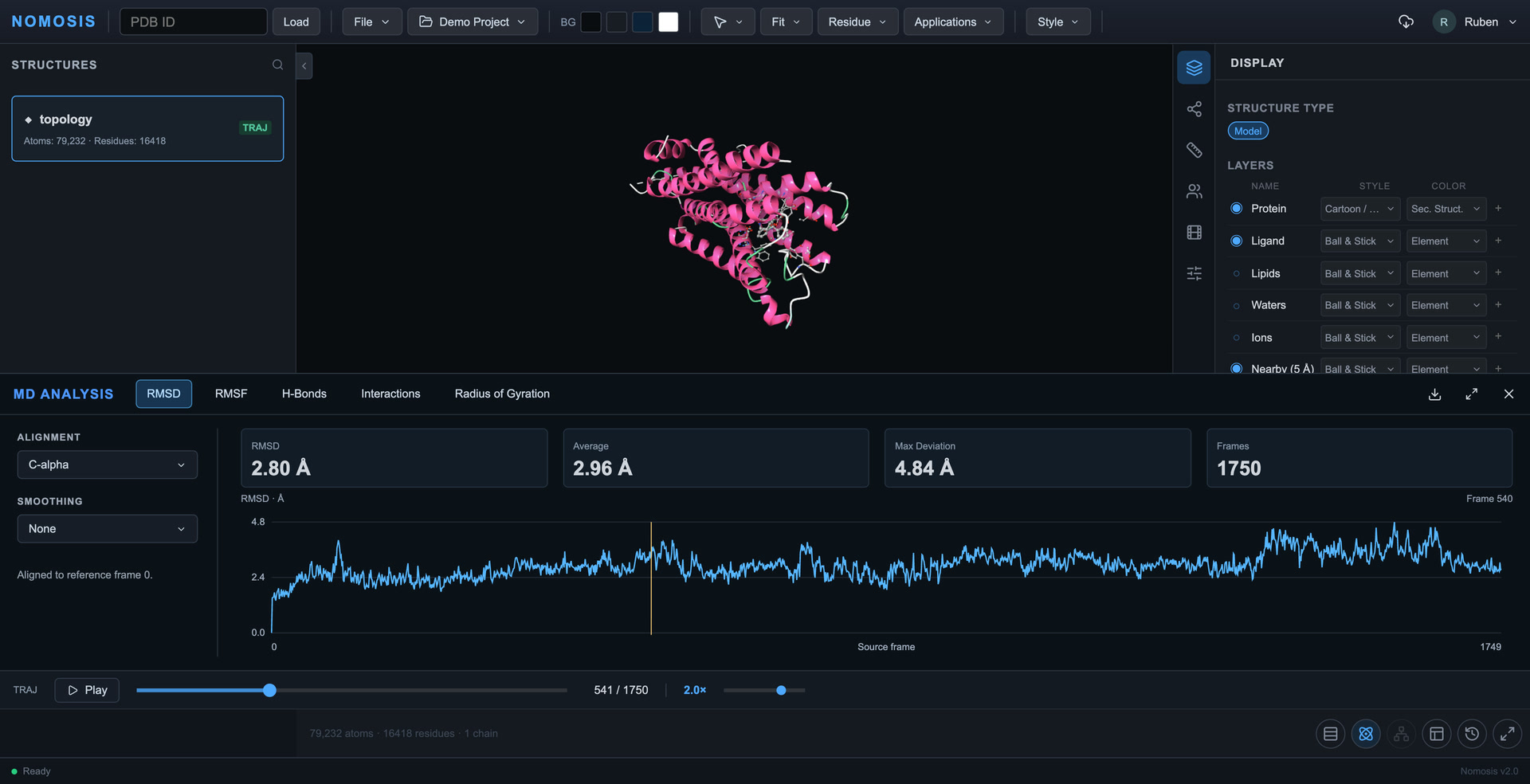
The MD Analysis panel sits under the viewer. Each plot marks the current frame, and a click on it takes the structure there.
RMSD
How far the structure drifts from the first frame, aligned on C-alpha, backbone or heavy atoms.
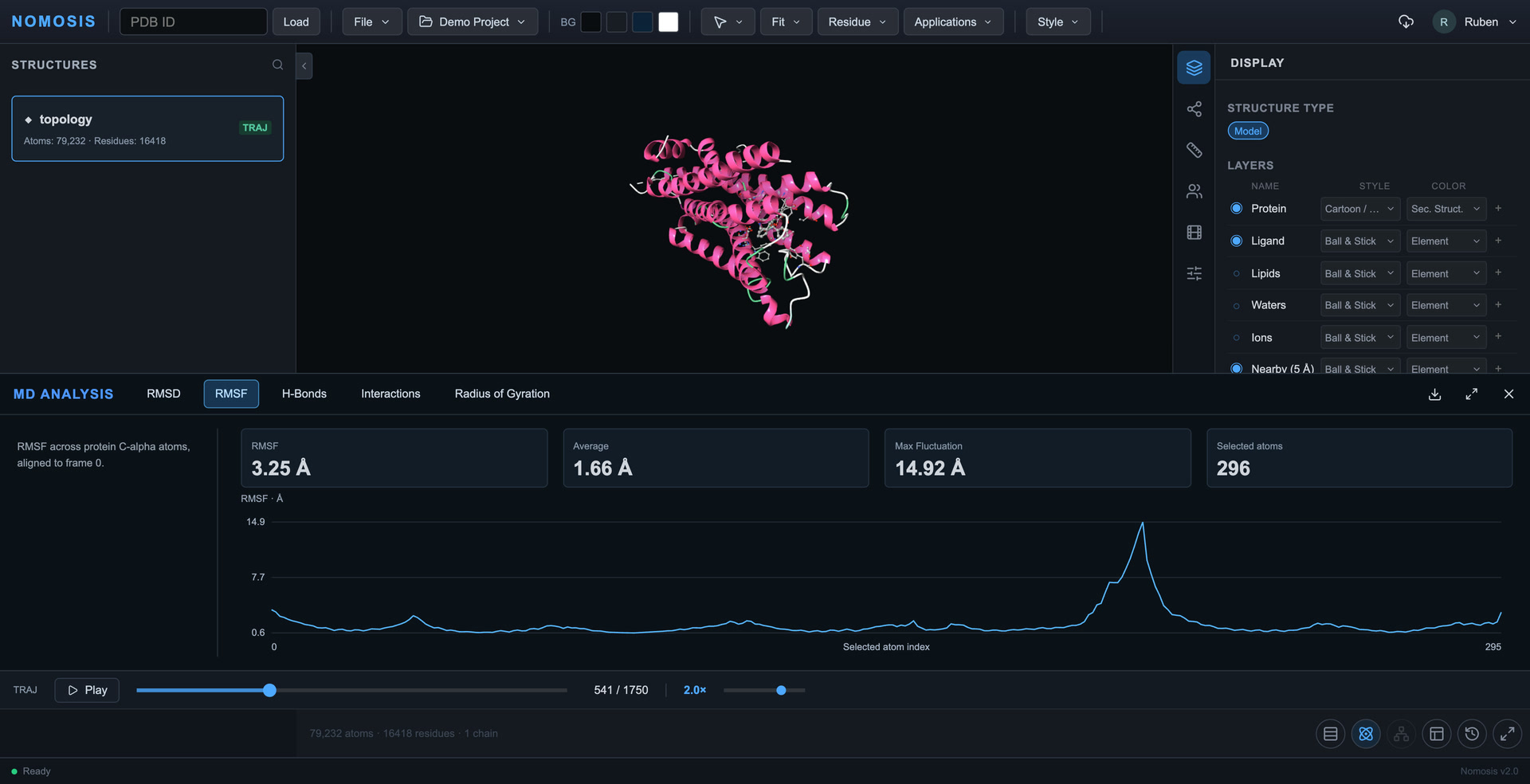
RMSF
Which residues fluctuate most. Click a peak to focus that atom in 3D.
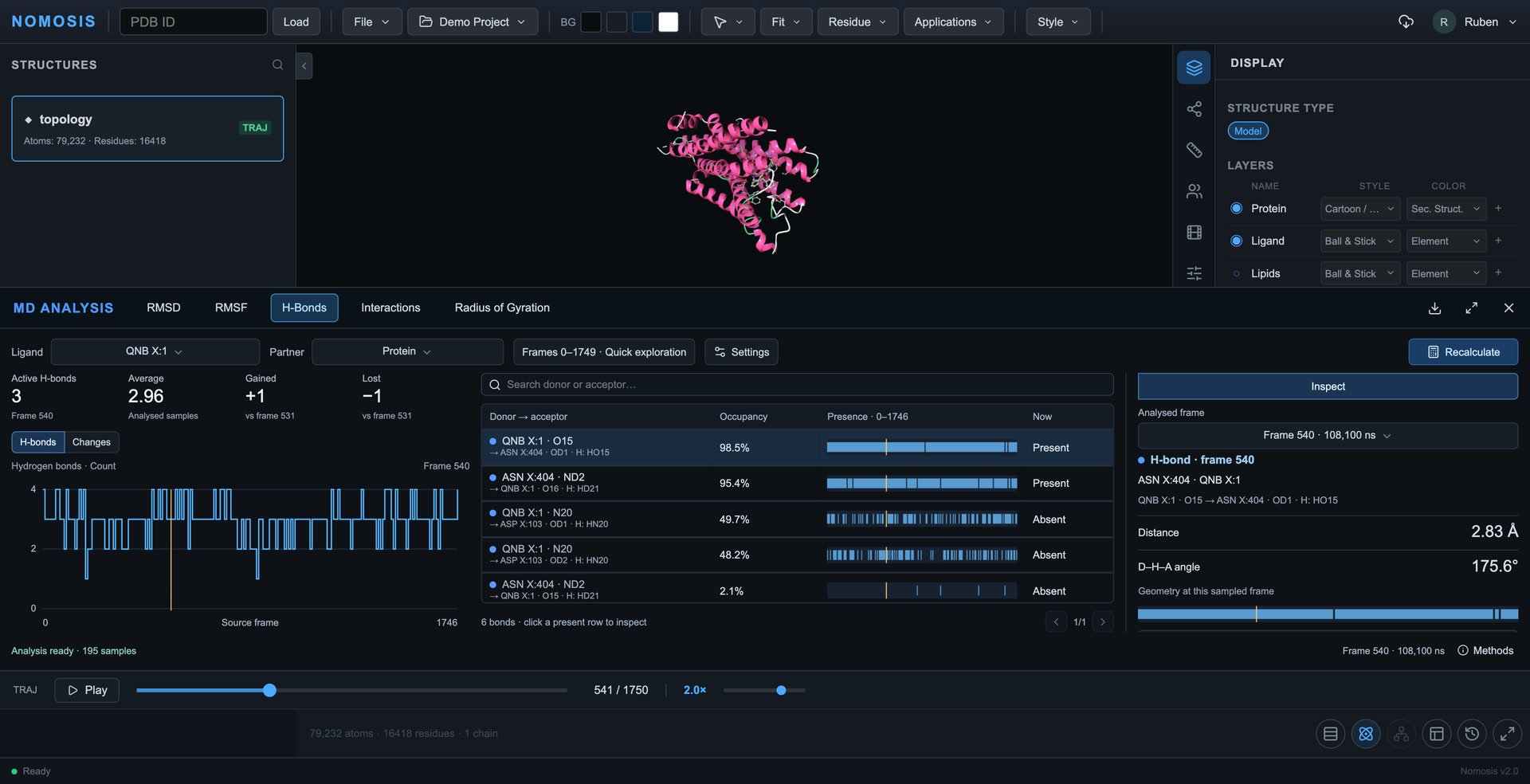
Hydrogen bonds
Each donor and acceptor pair, how often it is present, and its distance and angle in any frame.
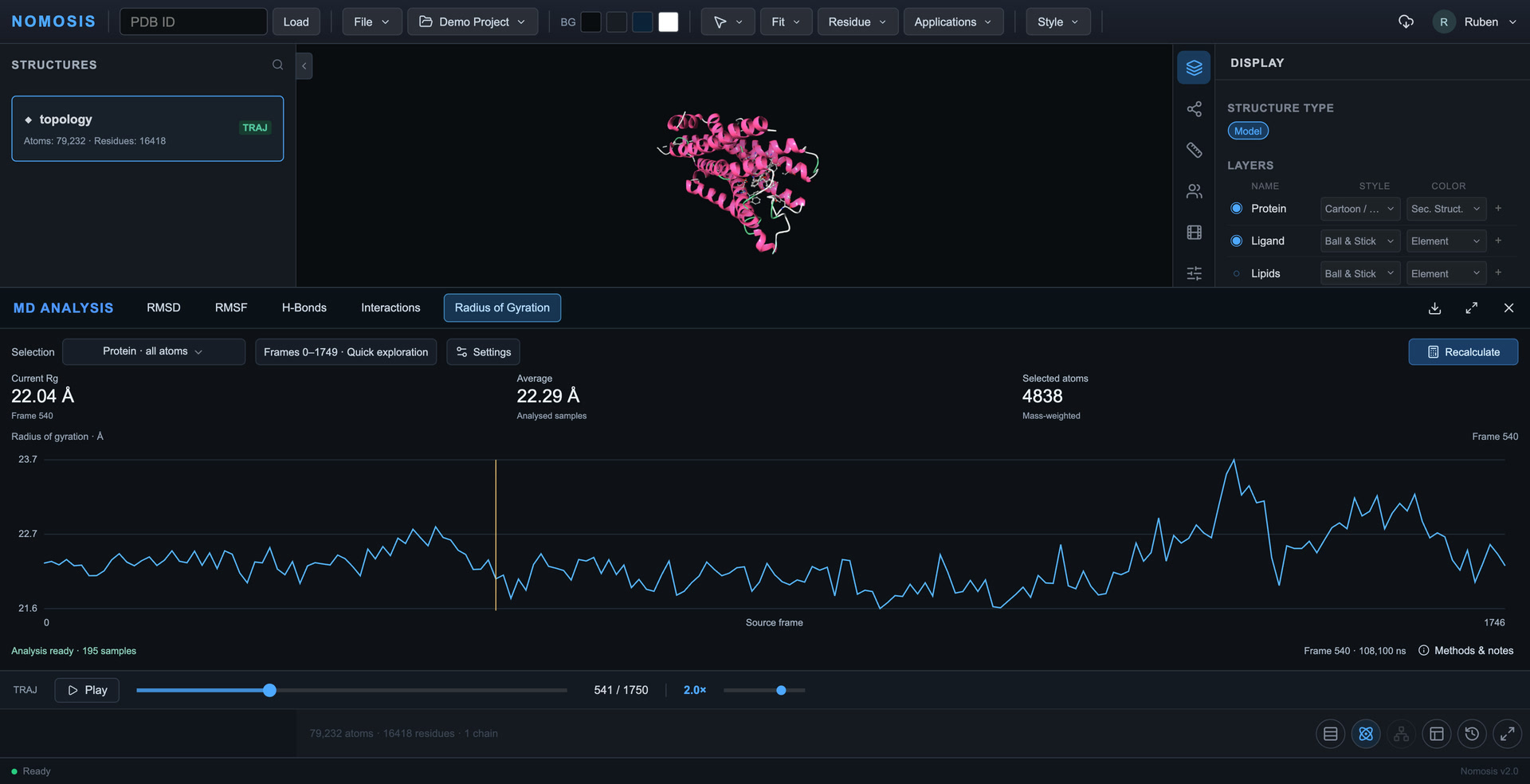
Radius of gyration
How compact the protein, its backbone or the ligand stays over time.
Download the data behind each plot as CSV.
Contacts over time
What holds the ligand, frame after frame.
A single frame shows a contact. A trajectory shows whether it lasts. Sample the frames and see which contacts stay, which come and which go.
Nearby residues
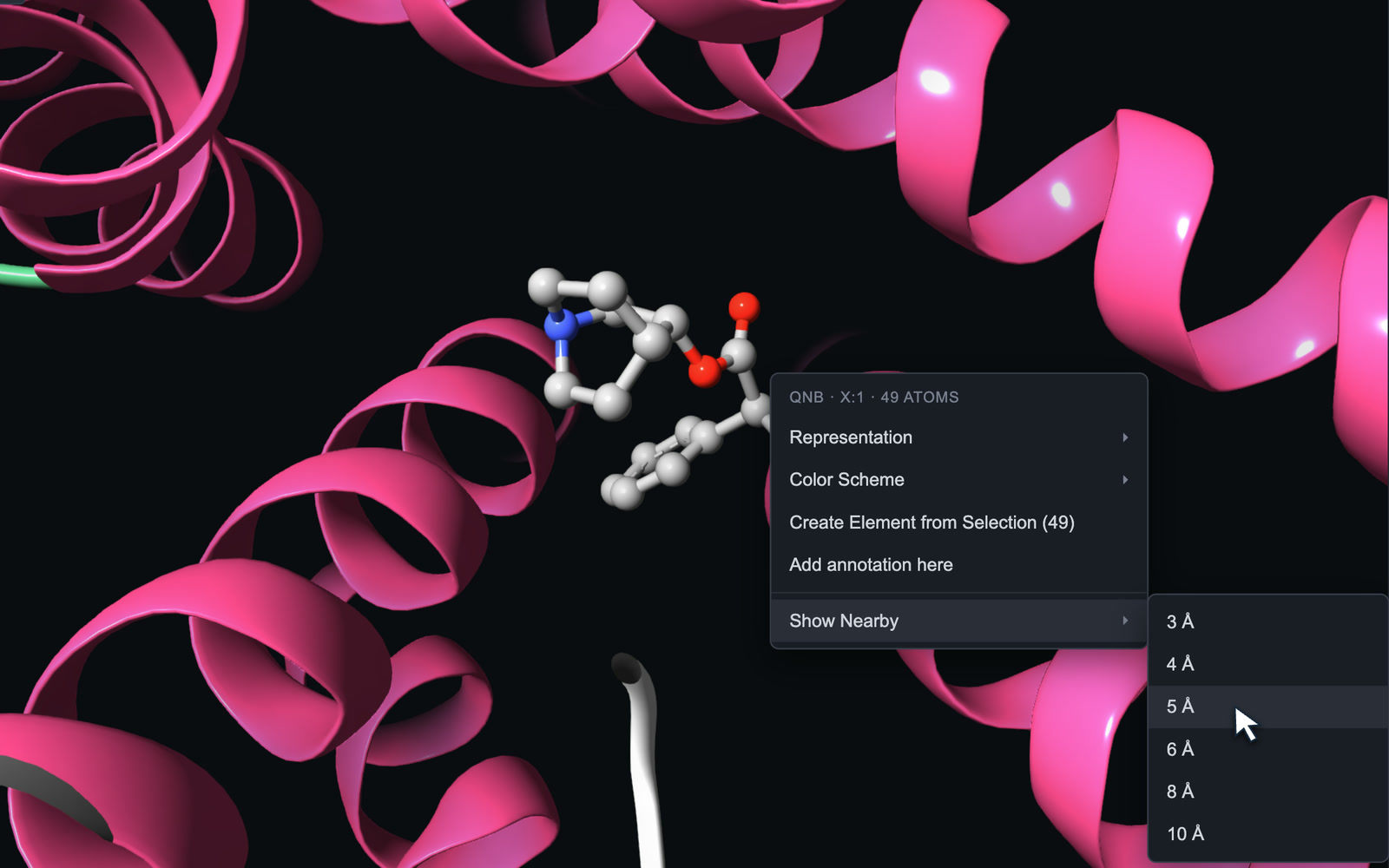
Right-click the ligand to show every residue within 3 to 10 Å, kept in view as the trajectory plays.
Occupancy and presence
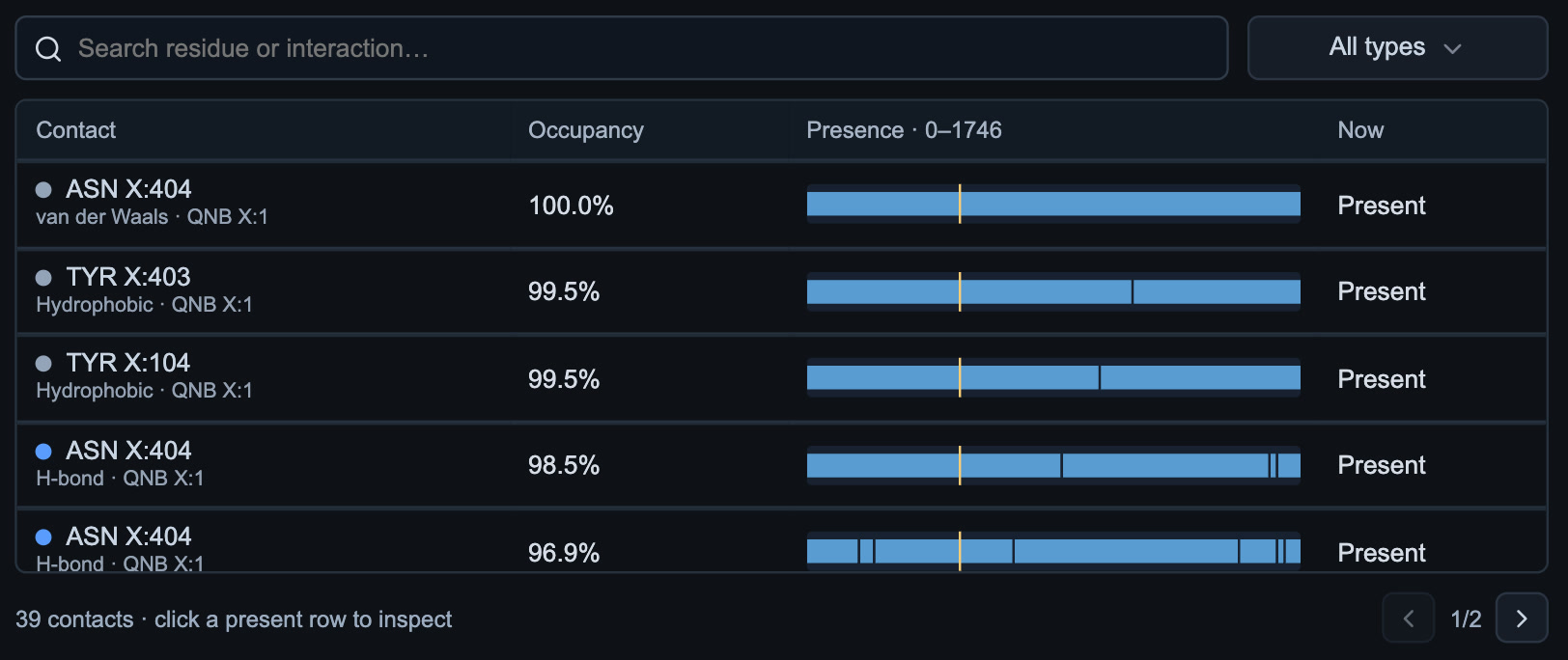
Every contact with its type, how often it is present and in which frames. Search by residue, or filter by type or by what is present now.
Contacts over time
How many contacts are active at each sampled frame, and how many were gained or lost since the one before.
Inspect a contact
Pick one that is present to read its distance at that frame, and focus its atoms in 3D.
Next